




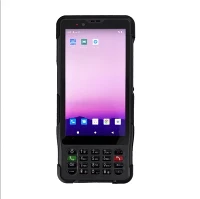




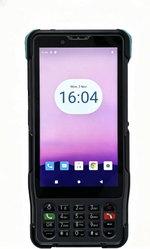


ST327 Gigabit Speed Tester
Gigabit Speed Test Main Function and Specifications
1. Speed test specification
We can achieve Gigabit speed test
2.Network configuration
• Support static IP, DHCP, PPPoE network configuration
• You can set the number of threads to download
• You can set test duration
• You can set the speed test address.
Operating Instructions
Function description: cable connection, fiber connection
Instructions for use: click on the "Giga speed test" button in the Android program , open the Gigabit speed, it have “Test"
2.1 Test
2.1.1 Module initialization
Function description: Gigabit speed module power on and initialization.
Instructions for use: Connect tested line to the PDA,waiting for the completion of initialization
2.1.2 Parameter configuration
Function description: configure the network connection mode, test duration, the number of threads and speed test URL (URL can be empty in the actual use, and the speed module using the default download address)
Instructions for use: click the network connection mode, fill in the parameters according to the requirements
2.1.3 Start test
Function description:Start to Gigabit speed test.
Directions for use: click the "Test" button to start the test.
2.1.4 Stop Test
Function description: Stop the ongoing test
Directions for use: Click “Stop” key to stop test
2.1.5 Retest
Function description: To test again
Directions for use:Click “Test” enter retest process
2.1.6 Exit Test
Function description:Exit Gigabit speed test

Hot Tags: st327 gigabit speed tester, China, manufacturers, factory, low price, buy
Next
Android PDAYou Might Also Like


Send Inquiry